Custom Dashboards
Custom Dashboards allow administrators to replace the default dashboard with a tailored CMS page for specific role groups. This is useful for directing users to relevant information as soon as they log in, such as safety briefings, upcoming events, or quick links to commonly used features.
CMS:CMS_PAGES:EDIT:CUSTOM_DASHBOARDS
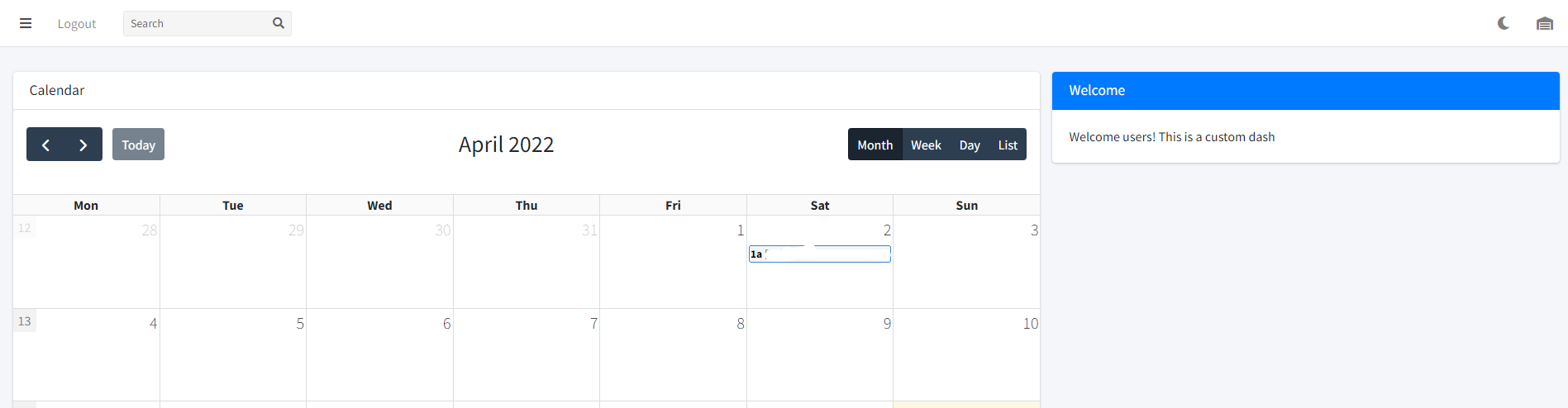 A custom dashboard assigned to a role group
How Custom Dashboards Work
When a user logs in, AdamRMS checks whether their role group has a custom dashboard assigned. If so, that CMS page is displayed instead of the default widget-based dashboard and calendar. The entire dashboard is replaced with your custom CMS page content.
Users who do not have a custom dashboard assigned to their role group will see the standard dashboard with widgets and the calendar as normal.
Setting Up a Custom Dashboard
- Create a CMS page with the content you want to display on the dashboard. See CMS Pages for instructions on creating and editing pages.
- Navigate to the CMS section and click Custom Dashboards to view the custom dashboard list.
- Select the CMS page you want to assign as the dashboard for each role group.
You can create different dashboards for different role groups. For example, a "Technicians" group might see a safety briefing and equipment checklist, while a "Project Managers" group might see a summary of upcoming projects and financial information.
Use Cases
- Onboarding: Create a welcome page with links to training materials and key procedures for new team members.
- Safety briefings: Display important safety information that users see every time they log in.
- Quick links: Provide shortcuts to frequently used pages, projects, or external resources.
- Announcements: Share news, updates, or reminders with specific groups of users.
Removing a Custom Dashboard
To revert a role group to the default dashboard, simply clear the CMS page selection for that role group on the Custom Dashboards page. Users in that group will then see the standard widget-based dashboard.
Related Features
- CMS Pages -- creating and editing the pages used as dashboards
- User Management -- managing role groups
- Business Utilities -- configuring dashboard widgets